Apple Notes in iOS 27 introduces exciting features like divider lines, section links, and improved Siri integration, enhancing note organization and usability.
Apple's iOS 27 has rolled out significant updates to Apple Notes, enhancing its utility for users who depend on this core application for note-taking and organization. With attention to features that improve organization and efficiency, iOS 27 introduces several practical enhancements.
Organizing Notes with Divider Lines

iOS 27 allows users to insert divider lines in their notes, a simple addition that promotes better organization within texts. By tapping where a divider is desired and selecting the new 'Insert Divider Line' option in the edit menu, users can enhance the structure of their notes effortlessly. This minor but impactful feature elevates content clarity and organization, particularly for lengthy entries that can become unwieldy. The introduction of such a straightforward tool can lead to substantial improvements in productivity. Developments focused on organization are especially relevant as remote work and digital collaboration increase, making note clarity essential for effective communication.
Enhanced Navigation with Section Links

Section links are another noteworthy addition, allowing users to construct a table of contents for lengthy notes. By selecting relevant text and utilizing the 'Add Link' option, users can link specific sections, streamlining the navigation process. This capability is particularly advantageous for those who create extensive documents within the Notes app. In an era where professionals often juggle multiple projects, efficient document navigation saves precious time. Being able to quickly jump between relevant sections without scrolling endlessly transforms the user experience. For students, researchers, and professionals alike, this feature can make digital note-taking feel much more manageable.
Siri AI Integration for Note Management
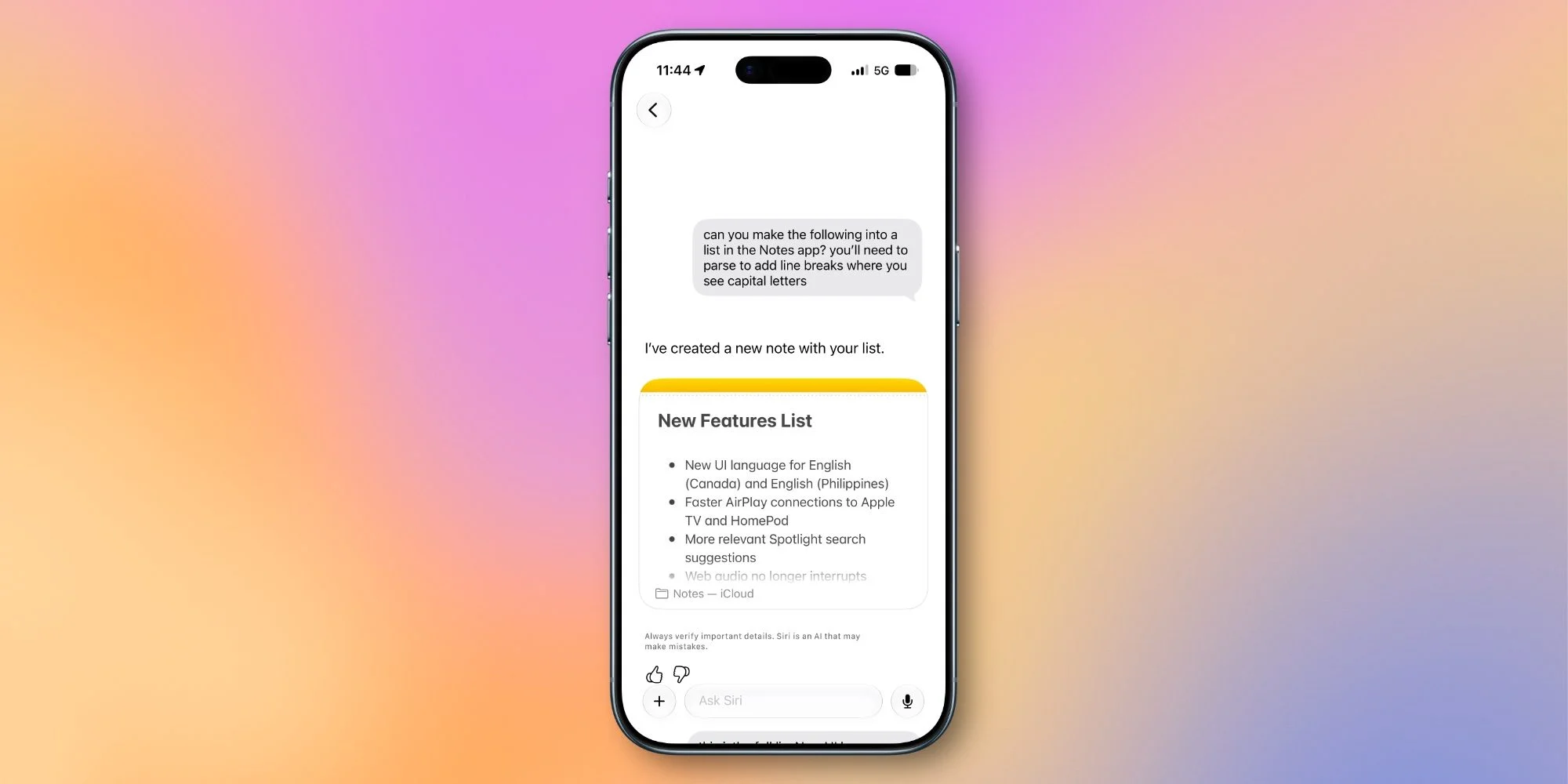
One of the standout upgrades is Siri's improved functionality within Apple Notes. Users can now add content to notes using Siri more effectively than ever before. Whether it's reformatting a list or incorporating other information directly from Siri's responses, this integration offers a significant enhancement, making note management more convenient and user-friendly. Voice commands have gained traction as a practical means of enhancing productivity, especially for multitaskers. And yet, the effectiveness of this feature relies heavily on the user's ability to navigate the AI's capabilities. If you're working in this space, you may find that familiarizing yourself with Siri's functions can elevate your experience with the app further. This integration doesn't just streamline your workflow; it introduces a degree of accessibility that can benefit those with disabilities or those who simply prefer hands-free operation. The synergy between voice control and note-taking enhances the appeal of the app significantly.
Markdown Support Expanded
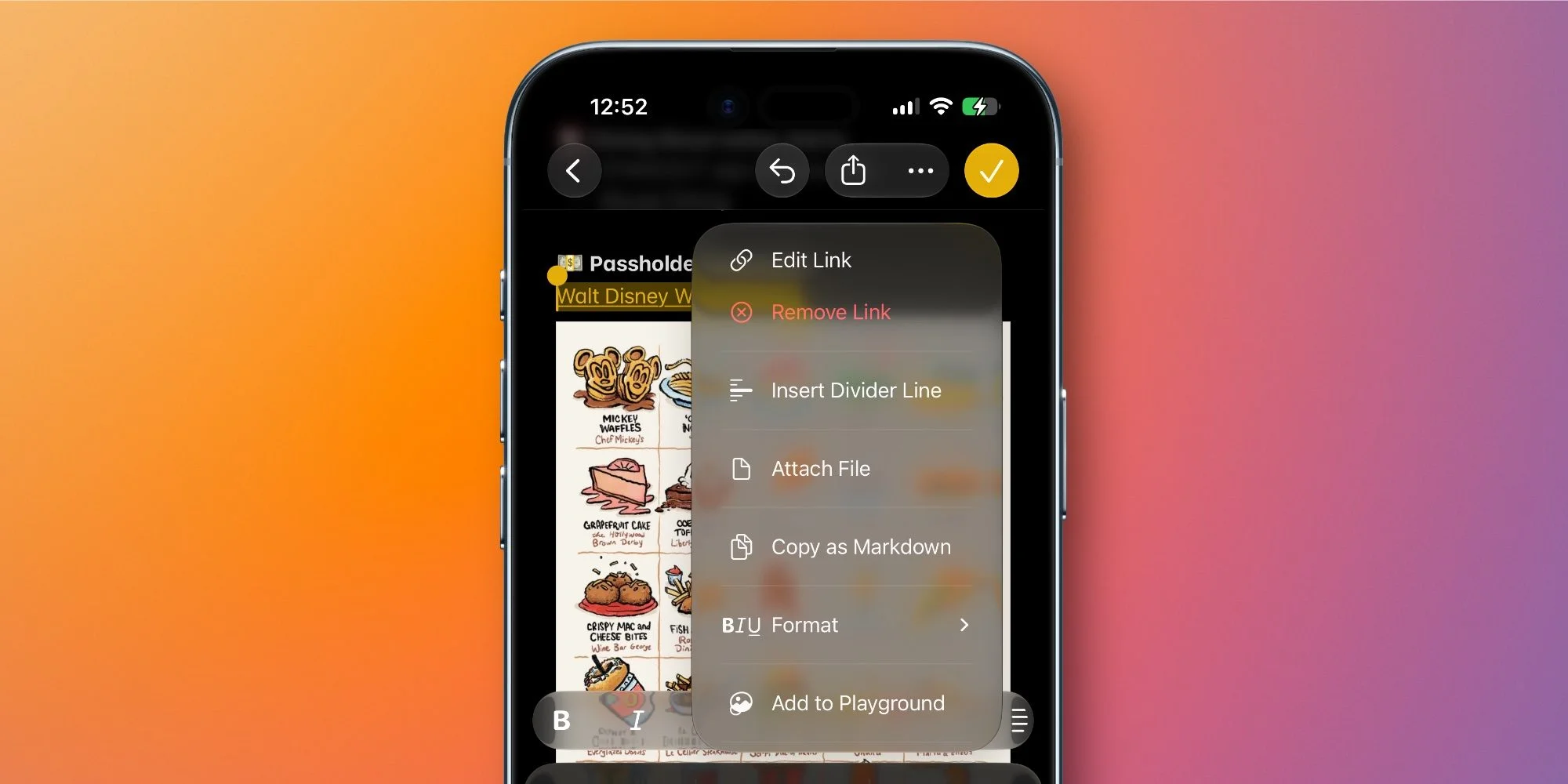
The support for Markdown, introduced in iOS 26, has received a boost in iOS 27. Now, when users paste Markdown-formatted text into Apple Notes, it automatically converts to rich text without extra steps. There's also a new 'Copy as Markdown' option, making it easier for content creators to handle formatting without hassle. This adjustment aligns well with the needs of writers who often utilize Markdown for online content. The decision to expand Markdown support acknowledges the growing number of users who rely on this lightweight markup language for formatting in a digital age progressively. While many note-taking applications are adding Markdown capabilities, Apple's enhancements here show a commitment to supporting creators already familiar with this format. This feature could entice those who typically avoid Apple Notes in favor of other apps that were specifically designed with writers in mind.
Upgraded Image Playground Capabilities
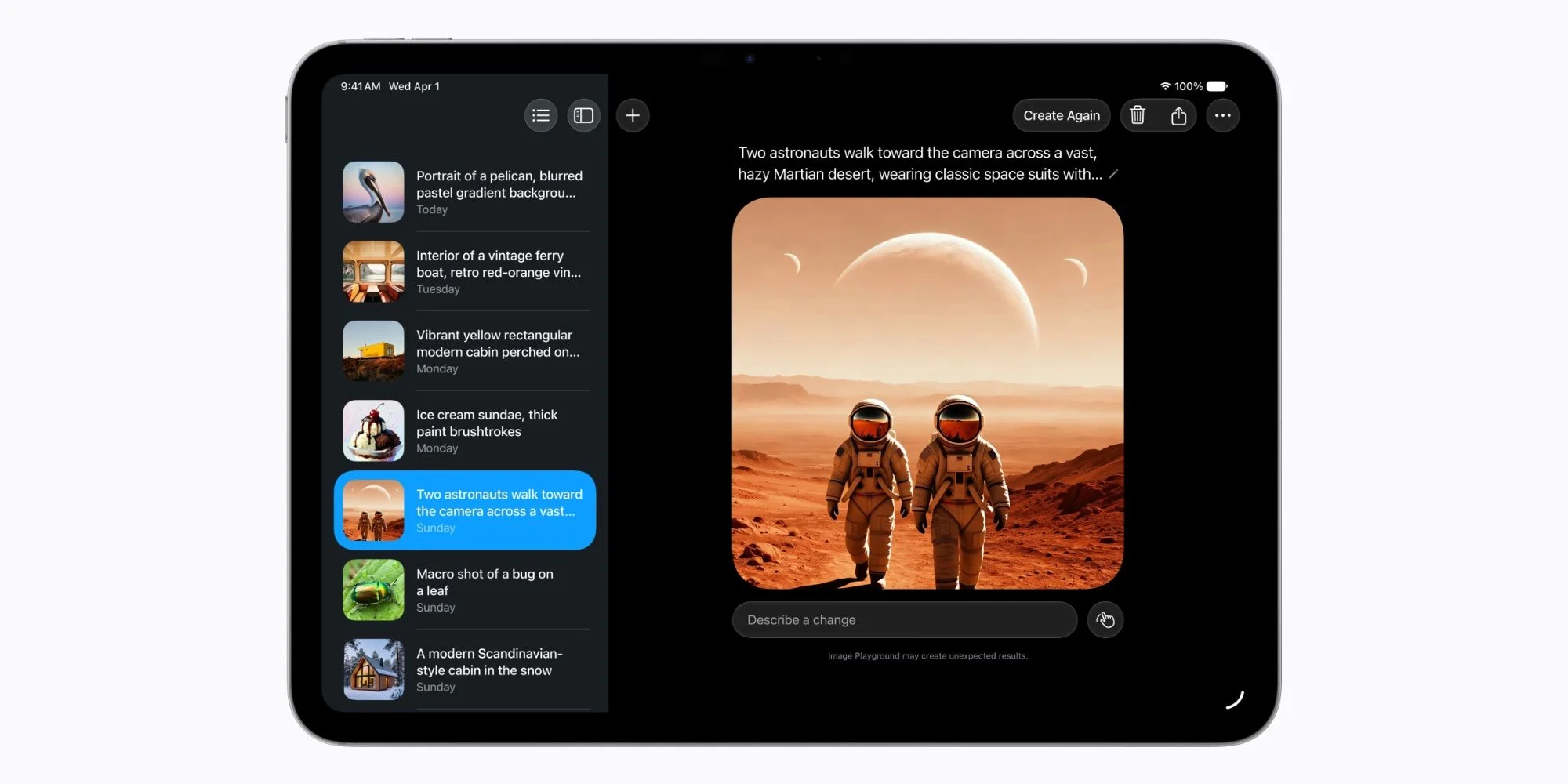
iOS 27 also brings upgrades to the Image Playground, a feature within Notes that leverages advanced AI for image generation. Users can now create high-quality images in various styles, including photorealistic renditions. This functionality deepens the creativity potential within the app, offering users new ways to illustrate their notes. The Image Playground taps into a growing trend where visual content is vital for comprehension and engagement. With the rise of visual platforms, such as Instagram and TikTok, allowing users to generate and incorporate images that align with their textual content is more relevant than ever. This isn't just about aesthetics—it's about enhancing information retention. People remember images better than text, and using visuals can make notes much more impactful.
Additional UI Enhancements
Alongside these headline features, several minor UI improvements enhance the overall user experience in Notes. A redesigned app icon, Liquid Glass updates for menus and buttons, and refreshed icons for shared folders contribute to a more cohesive and visually appealing interface. Design plays a pivotal role in user adoption and satisfaction. If the aesthetics of an app are outdated or cumbersome, users may abandon it for sleeker alternatives. By freshening up the interface, Apple reaffirms its commitment to not only functionality but also user experience. These subtle yet significant improvements reflect a broader approach toward keeping their software competitive in the market.
Future Implications of Apple Notes Upgrades
The enhancements in iOS 27 for Apple Notes signify a solid commitment to usability and functionality. With a mixture of organizational features and improved accessibility through Siri and Markdown, users stand to benefit significantly. But what does this mean for Apple in the long run? As competition in the note-taking app market ramps up, Apple needs to stay ahead by continually innovating—an ongoing focus on user experience can cement its position. However, at the same time, the improvements might appeal to a wider range of users beyond just Apple loyalists, drawing in those that previously saw Notes as lacking. What’s your favorite addition in Apple Notes this time around? Join the conversation and share your thoughts.
Discussion
Sign in to join the discussion.