iOS 27 shifts Notification Center access, prioritizing Siri AI and altering muscle memory built over 15 years of usage.
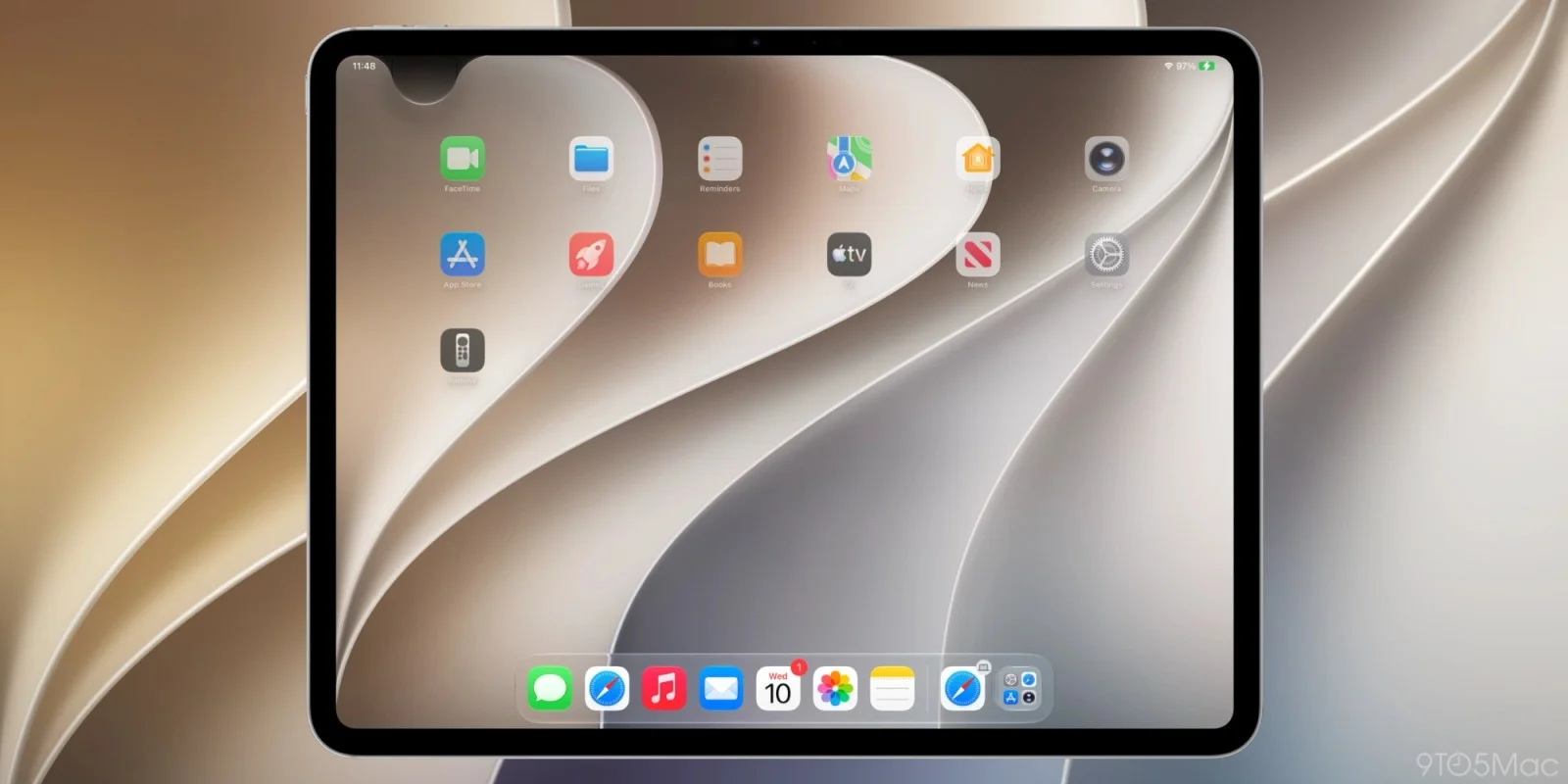
With the arrival of iOS 27, Apple is fundamentally altering how iPhone and iPad users access their Notification Center, a feature that has been in place since iOS 5 was introduced back in 2011. This shift seems fairly significant: the Notification Center has long served as a key function for users, allowing them to view alerts and updates without diving into individual applications.
Currently in beta, iOS 27 shows some changes in behavior across its initial releases, but the rollout is expected to finalize this fall. As Apple often emphasizes user experience, the changes introduced in this update merit close scrutiny—not just for their immediate impact, but for how they reflect the company's long-term strategy.
Siri AI Dominates the Top Margin
The default method for accessing Notification Center remains unchanged with iOS 27 and iPadOS 27. However, for those who enable Siri AI, there’s a significant shift: swiping down from the center of the top edge of the device will now summon Siri instead of opening Notification Center. This alteration may feel disorienting for long-time users who have developed muscle memory around the traditional gesture. The intention here seems clear: Apple is prioritizing Siri interaction, pushing users to engage more with its voice assistant and, by extension, potentially funneling them into a more voice-centric user interface.
While those accustomed to the classic swipe-down gesture can still reach Notification Center by swiping down from the top left corner of the screen, this new assignment of gestures signals a broader strategic shift for Apple. Newly designed alerts now slide in from this corner, subtly guiding users to adjust to the smaller area dedicated to Notification Center. This transition reflects an evolving user interface philosophy, where voice interaction is positioned at the forefront.
Apple appears to be reshaping how devices are engaged. By dedicating much of the top area for Siri, the company is undeniably making a statement about the future of human-device interaction. It’s not just about notifications anymore; Apple wants users to think about their devices differently—primarily as systems that can be conversed with rather than merely browsed.
Notifications in a New Niche
In iPadOS 27, particularly within the first beta, the display area above the Home screen icons is heavily allocated for Siri activation, which results in a reduced space for Notification Center. Should users opt to disable the AM/PM indicator or the date feature, accessing Notification Center becomes even more restrictive. This is more than just an inconvenience; it may force users to re-evaluate how they interact with their devices, perhaps leading them to rely more on Siri's capabilities, even for basic tasks.
Improvements have been made in the subsequent iPadOS 27 beta, creating a more balanced distribution of space. The area designated for Notification Center now fits comfortably next to the Control Center on the right, while the primary section remains allocated for Siri. This design tweak aims to mitigate some initial user friction, proving that Apple is listening to feedback—even in the beta stage. Yet, whether these changes successfully enhance the user experience is still debatable.
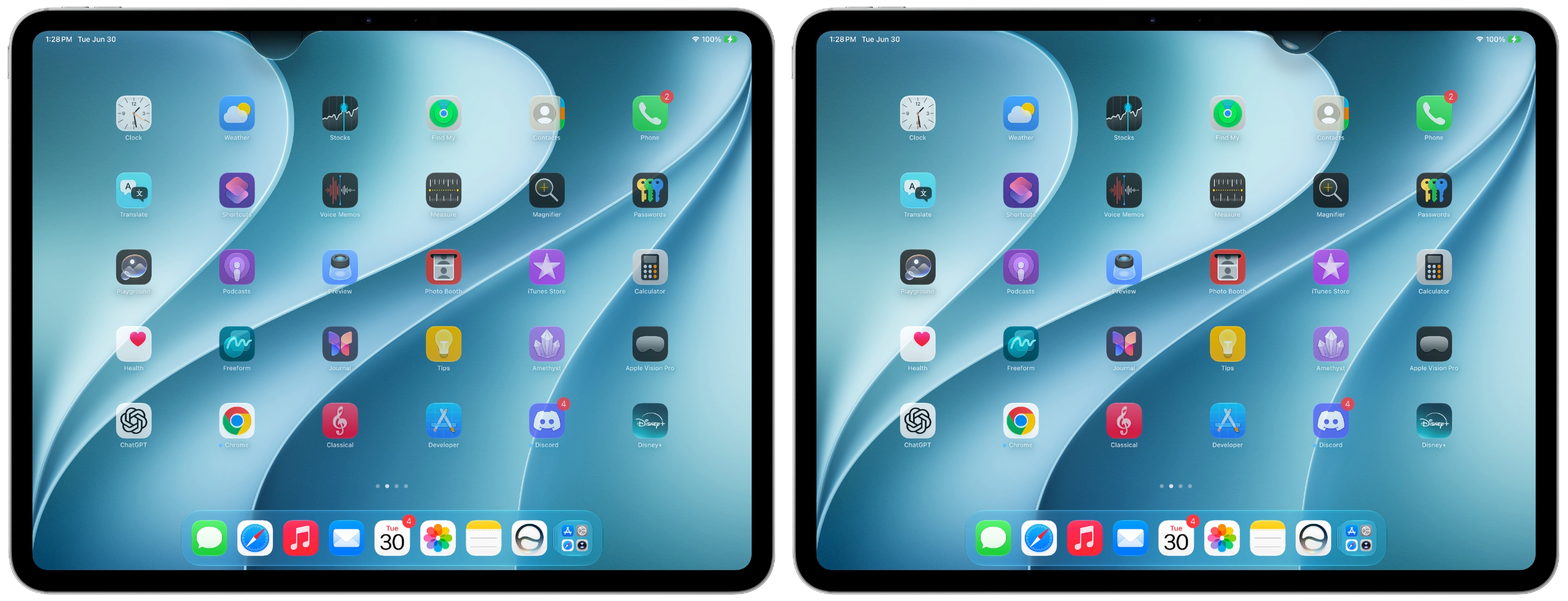
After 15 years of relying on muscle memory for gestures, adjusting to this updated system will undoubtedly require time. Initial feedback on Siri's capabilities has been predominantly positive, suggesting users are warming up to the transition. However, many are left wondering whether these adaptations genuinely benefit productivity or merely disrupt what was previously a straightforward user experience.
After nearly two months of testing the beta, I find myself wishing for the option to disable the top-center swipe that triggers Siri. Adapting to this new approach is necessary, but it isn’t the most intuitive shift for someone entrenched in the old ways. The tactile, familiar gesture is replaced by a voice command that, while functional, may not feel as personal or direct as its predecessor.
The Implications and Future Outlook
What does this all mean for users? For one, it signifies a broader push towards voice command technology, rather than just touch-based interactions. If you’re working in this space, it raises critical questions about the emphasis on voice versus traditional notifications. Expect to see Apple continuously refining Siri’s capabilities, nudging users even more toward this new paradigm. Their internal data likely indicates that users prefer voice commands for speed and efficiency, and this redesign could be seen as a natural evolution of that preference.
However, with these transitions come challenges. Users might find the learning curve steep, particularly if they haven't fully embraced Siri's capabilities before. Apple would benefit from clearer guidelines or tutorials to ease this transition, as pushing users too fast into a new mode of interaction could lead to frustration.
For now, iOS 27 is available in both developer and public beta stages, with the finalized version expected early next month, giving users just a short time to prepare for these changes. The clock's ticking, and how users adapt—or resist—will ultimately shape the perception of this update.
Discussion
Sign in to join the discussion.